



Why Computers Stop at 64-Bit Instead of 100-Bit or 128-Bit? Explained
How Powers of Two, Motherboard Trace Routing, 16-Exabyte Address Spaces, and Cache Efficiency Created an Engineering Sweet Spot
The Pattern That Suddenly Stopped
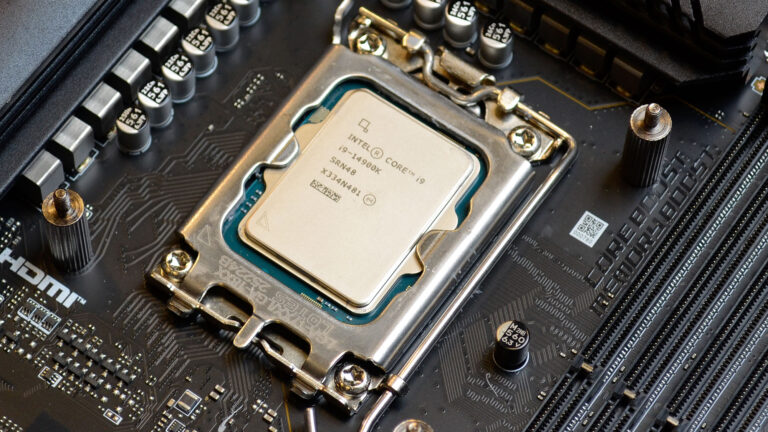
Intel’s supercharged variant of 14900K CPU, https://www.techradar.com/computing/cpu/intels-supercharged-variant-of-14900k-cpu-sighted-with-62ghz-boost-but-keep-one-eye-on-your-power-bill
For the first thirty years of personal computing and video games, progress seemed to follow a predictable rule: double the bits, double the capability. Home computers and consoles marched steadily upward:
- 8-bit era (1970s–1980s): The Nintendo Entertainment System (NES), Commodore 64, and Apple II.
- 16-bit era (late 1980s–early 1990s): The Super Nintendo (SNES), Sega Genesis, and early IBM PC-AT systems.
- 32-bit era (mid-1990s–2000s): The Sony PlayStation 1, Intel Pentium PCs, and Windows 95 through Windows XP.
- 64-bit era (2003–Present): AMD Athlon 64, modern Windows 11, macOS, iPhones, Android flagships, and the PlayStation 5 (Hennessy & Patterson, 2017).
Then, right after 64-bit became the universal standard in the mid-2000s, the ladder stopped. More than twenty years later, we still do not buy “100-bit” laptops or “128-bit” smartphones. Why did a decades-long doubling trend suddenly freeze at 64?
The short answer is that 64-bit is not a technological ceiling—it is an engineering sweet spot. Pushing general-purpose processors to 100-bit or 128-bit runs straight into four hard realities: binary math alignment, physical silicon and motherboard wiring, RAM capacity physics, and software cache efficiency.
Step 1: Why Not 100-Bit? (The Power-of-Two Rule in Binary Computing)
https://www.allpcb.com/allelectrohub/memory-alignment-in-arm-embedded-systems
Computers Speak Binary (Base-2), Not Decimal (Base-10)
To human eyes, 100 feels like a clean, natural milestone because humans evolved with ten fingers and count in base-10 (decimal). Digital computers, however, are built from billions of microscopic transistors that act as simple on/off electrical switches representing 0 and 1—a base-2 (binary) system (Patterson & Hennessy, 2020).
Because every binary wire doubles the number of states it can represent, computer hardware naturally scales in powers of two (2^n):
- 2^3 = 8-bit (1 byte — the universal basic unit of computer memory)
- 2^4 = 16-bit (2 bytes)
- 2^5 = 32-bit (4 bytes)
- 2^6 = 64-bit (8 bytes)
- 2^7 = 128-bit (16 bytes)
Why “100-Bit” Breaks Hardware Efficiency
Notice that 100 is not a power of two (it sits awkwardly between 2^6 = 64 and 2^7 = 128). Trying to design a 100-bit processor would create two immediate hardware headaches:
- Byte Alignment & Memory Waste: Every modern RAM module, SSD, and network packet stores data in 8-bit bytes. Because 100 is not divisible by 8 (100 ÷ 8 = 12.5 bytes), a 100-bit number cannot sit cleanly inside whole bytes. Hardware engineers would either have to waste 4 unused padding bits on every single word (rounding up to 104 bits / 13 bytes) or build complex, power-hungry bit-shifting circuits to pack half-bytes across memory boundaries on every read and write.
- Multiplexer & Bit-Indexing Waste: Inside a CPU, selecting one specific bit out of a 64-bit register requires an exact 6-bit address index (2^6 = 64), and selecting one bit out of 128 requires an exact 7-bit index (2^7 = 128). Indexing a 100-bit register still demands 7 index wires—leaving 28 out of 128 decoder combinations completely wasted in silicon.
Step 2: The Physical Wiring & Silicon Problem (Why 128-Bit Hardware Hurts)
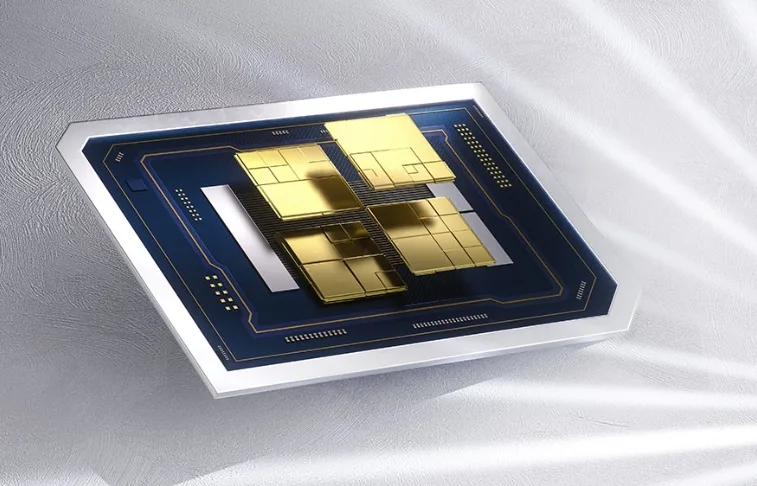
Silicoen stacking, https://www.lstpcb.com/news/the-application-advantages-and-challenges-of-3d-ic-technology/
Okay, so 100-bit violates binary math—but 128-bit (2^7) is a clean power of two and divides neatly into 16 bytes. Why haven’t Intel, AMD, or Apple switched general-purpose CPUs to 128-bit? The first obstacle is physical hardware cost—both inside the silicon chip and across the motherboard.
Inside the CPU: Bloated Registers, ALUs, and Carry Chains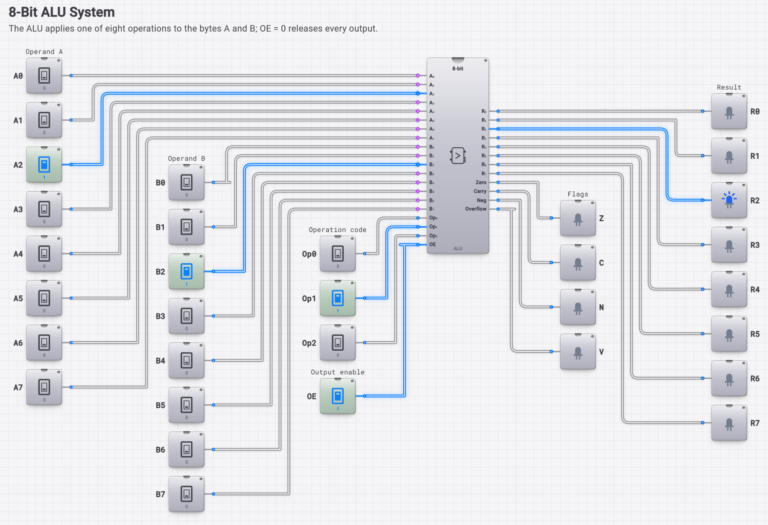
8 Bit Alu, https://digisim.io/template/8-bit-alu-system
When people say a CPU is “64-bit,” they mean its general-purpose integer registers, Arithmetic Logic Unit (ALU), and memory address pointers are 64 bits wide (Patterson & Hennessy, 2020). Doubling a general-purpose core to 128-bit means doubling the width of every integer register file, every adder and multiplier circuit, and every internal data pathway.
That extra width comes with three physical penalties: it consumes significantly more silicon die area (making chips more expensive to manufacture), increases heat and power consumption when switching twice as many transistors per clock cycle, and lengthens the carry-propagation chain during integer addition—making it harder to sustain 5+ GHz clock speeds.
Outside the CPU: Pins, Crosstalk, and Serpentine PCB Traces

PCB Trace Length Matching, https://pcbcool.com/technical-guides/pcb-trace-length-matching-guide/
The wiring challenge extends onto the motherboard Printed Circuit Board (PCB). Sending wider data and address buses between the CPU socket, RAM slots, and expansion chips requires more physical pins on the processor package and more parallel copper traces routed through the fiberglass board.
At multi-gigahertz signaling speeds, electricity travels roughly 15 centimeters (6 inches) per nanosecond through a standard FR-4 PCB trace. If one copper trace in a parallel bus is even a few millimeters longer than its neighbor, its signal arrives late—causing clock skew and data corruption. To prevent this, motherboard engineers must route squiggly length-matched serpentine traces while spacing wires wide enough to avoid crosstalk (electromagnetic interference between adjacent traces). Doubling bus widths unnecessarily forces motherboards into expensive 8- to 12+ layer PCB stackups for zero practical benefit.
Step 3: Compatibility with RAM (Why 64-Bit Already Exceeds All Earth’s Memory)
Historically, the single biggest reason computers had to jump from 32-bit to 64-bit was RAM capacity. Every byte of RAM needs a unique numerical street address so the CPU can find it (Intel, 2023):
- 32-Bit Addressing Wall: With 32 binary bits, a processor can generate 2^32 = 4,294,967,296 unique byte addresses—which equals 4 Gigabytes (4 GB). Once affordable PCs and smartphones surpassed 4 GB of RAM in the mid-2000s, 32-bit systems hit a hard brick wall.
- 64-Bit Addressing Explosion: Adding 32 more address bits does not just double memory—it multiplies it by 4 billion times. A 64-bit address space supports 2^64 = 18,446,744,073,709,551,616 bytes, which equals 16 Exabytes (16,777,216 Terabytes) of RAM (Intel, 2023; AMD, 2024).
| How Big Is 16 Exabytes? We Haven’t Even Wired Up All 64 Bits Yet!
To put 16 Exabytes in perspective, even the world’s largest exascale supercomputers have a few petabytes of RAM—less than 0.1% of 16 Exabytes. In fact, modern Intel, AMD, and ARM 64-bit processors don’t even connect all 64 address pins physically yet: most consumer CPUs implement 48-bit virtual addressing (256 TB) and 46- to 52-bit physical addressing (64 TB to 4 PB), while enterprise server chips use 5-level paging for 57-bit virtual addressing (128 PB) (Intel, 2023; AMD, 2024; Arm Ltd., 2023). |
Step 4: The Software Problem (Why 128-Bit Would Actually Make Apps Slower)
Not only is 128-bit addressing unnecessary—switching general-purpose software to 128-bit would actively hurt performance on everyday workloads.
Pointer Bloat & CPU Cache Pollution
Inside nearly every program—web browsers, video games, databases, and operating systems—software relies heavily on memory pointers: variables that store the memory address of objects, arrays, linked-list nodes, and functions (Hennessy & Patterson, 2017).
- On a 32-bit OS: Every pointer takes 4 bytes of RAM.
- On a 64-bit OS: Every pointer doubles to 8 bytes—which is why 64-bit applications noticeably consume 20% to 40% more RAM than their older 32-bit counterparts.
- On a hypothetical 128-bit OS: Every single pointer would double again to 16 bytes—even though the upper 80+ bits of every address would sit filled with useless zeros!
This pointer bloat directly slows down the CPU. Modern processors rely on tiny, ultra-fast L1 and L2 SRAM caches (typically 32 KB to 1 MB per core) located right next to the execution units to avoid waiting on slow main RAM (Hennessy & Patterson, 2017). Doubling pointer sizes from 8 bytes to 16 bytes cuts the number of pointers that fit inside those precious caches—causing more cache misses, higher memory bandwidth congestion, and slower real-world app performance.
Operating System & Ecosystem Compatibility
Finally, changing pointer and register widths alters the Application Binary Interface (ABI)—the low-level contract governing how compilers, operating system kernels (Windows, Linux, macOS), device drivers, and software libraries pass data. Abandoning 64-bit ABIs would force the entire software industry to recompile and debug billions of lines of code for zero practical advantage.
Step 5: Where 128-Bit (and 256/512-Bit) Already Exists Inside Your CPU Today
Saying computers stopped at 64-bit comes with an important engineering clarification: modern 64-bit CPUs already contain 128-bit, 256-bit, and even 512-bit hardware units—they just use them selectively where wide parallel data actually helps, without bloating memory addresses (Intel, 2023; Arm Ltd., 2023):
- SIMD / Vector Execution Units (SSE, AVX, ARM NEON/SVE): Single Instruction, Multiple Data (SIMD) engines pack 128-bit (SSE / ARM NEON), 256-bit (AVX / AVX2), or 512-bit (AVX-512) vector registers inside your CPU. Instead of holding one giant 512-bit memory address, a 512-bit vector register holds sixteen 32-bit numbers or eight 64-bit numbers side by side—accelerating 3D gaming physics, video encoding, AES-128/256 encryption, and AI math while keeping normal pointers compact at 64 bits (Intel, 2023).
- Multi-Channel Memory Buses: A single DDR4 or DDR5 memory channel transfers data in 64-bit chunks, so running two sticks in Dual-Channel mode already gives your CPU an effective 128-bit wide data path to RAM (and workstation quad-channel setups reach 256 bits).
- Niche Security & Research Architectures (CHERI / RISC-V RV128): 128-bit pointers only appear in specialized research architectures such as CHERI (and ARM’s Morello prototype), which bundles a standard 64-bit memory address together with 64 bits of hardware bounds-checking metadata to prevent buffer-overflow security exploits (Watson et al., 2020), and RISC-V RV128I, an academic specification reserved for distant future warehouse-scale memory pools (Waterman & Asanović, 2019).
Summary Comparison Table: 32-Bit vs. 64-Bit vs. 100-Bit vs. 128-Bit
The comparison table below summarizes why 64-bit remains the undisputed standard for general-purpose computing:
| Metric / Feature | 32-Bit CPU | 64-Bit CPU (Current Standard) | 100-Bit CPU (Hypothetical) | 128-Bit General-Purpose CPU |
| Power of Two? | Yes (2^5 = 32) | Yes (2^6 = 64) | No (Between 2^6 and 2^7) | Yes (2^7 = 128) |
| Byte Alignment (8-Bit Bytes) | Exact (4 bytes per word) | Exact (8 bytes per word) | Broken (12.5 bytes; wastes 4 bits or adds shift logic) | Exact (16 bytes per word) |
| Max Addressable RAM | 4 GB (2^32 bytes) — too small for modern apps | 16 Exabytes (2^64 bytes) — vastly exceeds all PC/server needs | ~1.26 × 10^30 bytes — completely unnecessary | 340 Undecillion bytes (2^128) — far beyond Earth’s storage |
| Pointer Size & Cache Efficiency | 4 bytes (compact, high cache density) | 8 bytes (ideal balance of range & L1/L2 cache efficiency) | 13 bytes padded (wasteful & unaligned) | 16 bytes (doubles pointer bloat; causes L1/L2 cache misses) |
| Hardware Wiring & Silicon Cost | Compact registers & narrow buses | Moderate die area & mature multi-layer PCB routing | Irregular decoders & non-standard bus widths | Bloated ALUs, high heat, wider CPU pins & costly PCB traces |
| Real-World Status | Legacy / microcontrollers (e.g., ESP32, STM32) | Universal standard (+ 128/256/512-bit SIMD vector units) | Never built commercially | Only in niche security research (CHERI/Morello) & SIMD units |
In short, computers didn’t stop at 64-bit because engineers ran out of ideas—they stopped because 64-bit already gives software a virtually bottomless 16-Exabyte address space while keeping binary alignment clean, motherboard wiring practical, and CPU caches fast. Rather than widening general-purpose pointers to 128 bits, modern chip designers deliver real-world speedups through more CPU cores, wider 256/512-bit SIMD vector engines, larger caches, and specialized AI accelerators.
References
AMD. (2024). AMD64 architecture programmer’s manual, Volume 1: Application programming (Publication No. 24592). Advanced Micro Devices, Inc. https://www.amd.com/en/support/tech-docs
Arm Ltd. (2023). Arm architecture reference manual for A-profile architecture (ARMv8-A / ARMv9-A virtual and physical address translation). Arm Limited. https://developer.arm.com/documentation/
Hennessy, J. L., & Patterson, D. A. (2017). Computer architecture: A quantitative approach (6th ed., Chapters 1–2). Morgan Kaufmann.
Intel. (2023). Intel 64 and IA-32 architectures software developer’s manual, Volume 1 & Volume 3A (5-level paging and 57-bit linear addressing). Intel Corporation. https://www.intel.com/content/www/us/en/developer/articles/technical/intel-sdm.html
Patterson, D. A., & Hennessy, J. L. (2020). Computer organization and design: The hardware/software interface (6th ed.). Morgan Kaufmann.
Waterman, A., & Asanović, K. (Eds.). (2019). The RISC-V instruction set manual, Volume I: Unprivileged ISA (Chapter 6: RV128I base integer instruction set). RISC-V International. https://riscv.org/technical/specifications/
Watson, R. N. M., Woodruff, J., Neumann, P. G., Moore, S. W., Anderson, J., Chisnall, D., … & Roe, M. (2020). Capability Hardware Enhanced RISC Instructions (CHERI): Notes on the meltdown and spectre era (Technical Report UCAM-CL-TR-951). University of Cambridge Computer Laboratory. https://www.cl.cam.ac.uk/techreports/UCAM-CL-TR-951.html
Wikimedia Commons. (n.d.). Category: Computer architecture diagrams & Printed circuit boards. Wikimedia Foundation. https://commons.wikimedia.org/wiki/Category:Computer_architecture_diagrams
Comments :